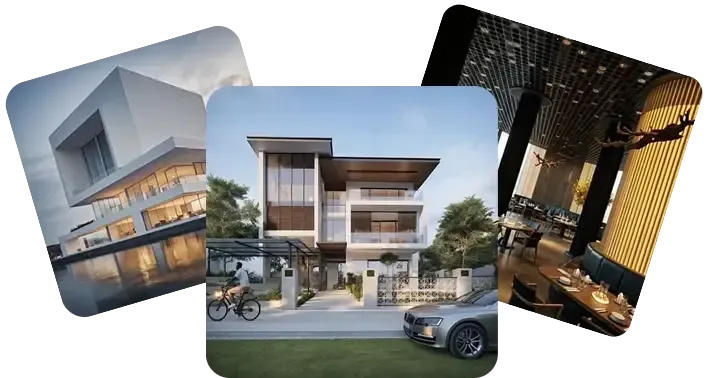
PromeAI Review 2026: Sketch-to-Render Tested Honestly
Most AI image tools start from text. PromeAI starts from your sketch. That single distinction separates it from the entire Midjourney/DALL-E category and makes it genuinely useful for architects, interior designers, and product designers who already have a concept on paper — or in CAD — and need a photorealistic render without a $5,000 rendering workstation.
Looking for more AI tools? Explore 500+ ranked options at top10k.com before deciding.
I spent thirty days putting PromeAI through real design workflows: hand-drawn floor plan sketches, rough product concept drawings, and CAD wireframe exports. This review covers exactly what it does well, where it breaks down in 2026, what you actually pay, and whether the growing wave of censorship and quality complaints should change your buying decision. No fluff, no generic feature lists pulled from the homepage — just what a working designer needs to know before committing to a paid plan.
Try PromeAI free and see the sketch-to-render output before you pay anything.
PromeAI at a Glance (TL;DR + Verdict Box)
| Best for | Architects, interior designers, product & game designers |
|---|---|
| Flagship feature | Sketch-to-Render (hand-drawn or CAD → photorealistic) |
| Free plan | Yes — limited credits, watermarked output |
| Paid from | $9.90/mo (Pro, 1,000 credits) |
| Commercial use | All paid tiers |
| Biggest complaint | Escalating content censorship + no-refund policy on blocked credits |
| Overall score | 3.8 / 5 |
Quick verdict: PromeAI is the strongest sketch-to-render tool available to non-enterprise designers in 2026. If your primary workflow is converting architectural or product sketches into client-ready renders, nothing at this price point matches it. If you need a general-purpose AI image generator or you create content in edge-case categories (anime realism, alcohol, certain object types), look elsewhere — the censorship situation has worsened measurably this year.
What Is PromeAI & Who Is It For
PromeAI is a web-based AI design assistant platform built around generative AI capabilities tuned specifically for designer workflows. Unlike tools optimized purely for text-to-image art generation, PromeAI's core value proposition is Controllable AI-Generated Content (C-AIGC) — meaning the output is shaped by an existing visual input (your sketch, wireframe, or photo) rather than hallucinated from scratch.
Core tools on the platform:
- Sketch Rendering — the flagship: upload a hand-drawn sketch or CAD wireframe and receive a photorealistic render that preserves your original design intent
- Text-to-Image Generation — standard prompt-based image creation with a style library
- AI Video Generation — text-to-video and image-to-video conversion (newer addition, improved in 2025–2026)
- AI Avatar Generator — custom avatars from text prompts or photo uploads
- Background Diffusion & Outpainting — background replacement and image boundary extension
- Consistency Rendering — train a custom AI model to maintain consistent design language across a project
Target users, as PromeAI positions itself:
- Amateur creators needing professional-looking visuals quickly
- Architects producing client presentation renders
- Interior designers translating mood boards into room visualizations
- Product designers previewing concepts before physical prototyping
- Game and animation designers creating environment concepts
The platform is purely web-based — no desktop install, no local model. That matters for iPad-using designers who want to sketch on tablet and render in browser; the workflow is workable but depends on connection quality.
For ranked comparisons of PromeAI alongside other design AI platforms, see top10k.com where tools are scored and updated continuously.
PromeAI Pricing 2026 (Free, Pro, Pro+, Base)
PromeAI runs a credit-based pricing model. Each generation consumes 1–5 credits depending on tool and resolution. Here are the confirmed tiers from third-party pricing aggregators (official pricing page returned 403 during research — tiers below cross-verified across SaaSworthy and SpotSaaS):
| Plan | Monthly Price | Annual Price | Credits | Key Features |
|---|---|---|---|---|
| Free | $0 | — | Limited | Basic tools, watermarked output |
| Pro | $9.90/mo | ~$83/yr | 1,000/mo | No watermark, commercial use |
| Pro+ | $29.90/mo | ~$251/yr | 4,000/mo | No watermark, commercial use, priority queue |
| Base | $39/mo | $294/yr | Unlisted | Commercial use, full image ownership, no watermark |
| Enterprise | Custom | Custom | Custom | Custom SLA, team management, API access |
Annual billing saves approximately 30–40% vs. monthly across paid tiers, per SaaSworthy data.
What "commercial use" means per tier: All paid plans include commercial use rights and remove watermarks. You own the output images. The Free plan produces watermarked images with restricted commercial rights — usable for personal mockups, not client deliverables.
Credit burn rate in practice: Sketch rendering at standard resolution typically costs 2–3 credits per output. At 1,000 credits/month on Pro, that's roughly 300–500 renders per month — enough for active designers; constrained for teams or high-volume studios.
The no-refund problem: Credits spent on generations that get blocked by content moderation are not refunded. As censorship has tightened in 2026, this is a real financial risk for users working near moderation boundaries. Budget accordingly.
Start PromeAI Pro — annual plan gives the best per-render cost.
Hands-On Test: Sketch-to-Render Workflow
This is the feature that justifies PromeAI's existence. Here is what a realistic workflow looks like and what to expect from output quality.
Input types that work well:
- Hand-drawn pencil sketches of room layouts or building facades
- CAD line exports (DWG-to-image PNG or exported JPEG from AutoCAD/SketchUp)
- Digital wireframes from Figma or rough concept boards
The rendering process:
- Upload sketch image (JPG/PNG)
- Select a rendering style from the C-AIGC library — PromeAI offers hundreds of presets across architectural styles (contemporary, industrial, Japandi, etc.), materials (concrete, timber, glass), and lighting conditions (golden hour, overcast, studio)
- Set atmosphere, material, and detail intensity sliders
- Generate (2–3 credits consumed)
- Iterate by adjusting style parameters or using the variation tool
What works: The tool is genuinely strong at preserving the spatial relationships in your original sketch. A rough room plan sketch with furniture placement suggestions comes back as a photorealistic interior render where your original furniture positions are respected. This is the core differentiator — competing tools would ignore your sketch and generate something generically "nice" that shares nothing with your design intent.
What doesn't work in 2026: Face and figure rendering has degraded. Multiple users on Trustpilot and AllAboutAI report pixel errors, distorted faces, and duplicate limbs in 2026 output — and this appears to be a regression from 2024 quality, not a known limitation. For pure architectural or product renders with no human figures, this is less of a concern. For lifestyle renders with people, the inconsistency is notable.
Consistency Rendering feature: PromeAI allows you to train a lightweight custom model on your design language — your material palette, spatial style, furniture aesthetic — and apply it consistently across a project. For architects maintaining a visual brand across a portfolio or client presentation, this is a genuine workflow advantage not available in most competing tools at this price.
Key Features Walkthrough
1. Sketch Rendering — Flagship tool, strongest differentiator. CAD and hand-drawn inputs both supported.
2. Text-to-Image — Standard prompt-based generation with the C-AIGC style library. Functional but not class-leading vs. Midjourney for pure artistic output.
3. AI Video Generation — Text-to-video and image-to-video, expanded significantly in 2025–2026. Useful for client presentation animations of renders; quality is acceptable for short clips, not broadcast-ready.
4. AI Avatar Generator — Create custom avatars from text or uploaded photo. Used primarily for profile/branding assets.
5. Background Diffusion — Replace or extend image backgrounds. Clean results for product shots; inconsistent on architectural exteriors with complex foregrounds.
6. Outpainting — Extend image boundaries beyond original frame. Useful for adapting renders to different aspect ratios or expanding compositions.
7. C-AIGC Style Library — Hundreds of style presets. A real time-saver for designers who need to match specific aesthetic categories without prompt engineering.
8. Consistency Rendering / Custom Model Training — Train on your project's visual language for cross-image consistency. Available on higher tiers.
9. Variation Generation — Generate multiple style/material variants from a single sketch input. Useful for presenting options to clients.
10. Image Editing Tools — Basic in-platform editing including element masking and recomposition. Limited compared to Photoshop-adjacent tools; good enough for quick adjustments before export.
11. Commercial-Ready Export — All paid tiers output without watermark at resolution suitable for client presentations.
12. Web-Based Platform — No install, accessible from any device including iPad/tablet, important for field-working designers.
PromeAI Free Plan vs Paid — Real Limits
The Free plan is a genuine evaluation tier, not a marketing trap — you can actually test sketch rendering before paying. The practical limits:
- Credits are genuinely limited — enough for 10–20 test renders, not a sustained workflow
- Watermarks on all outputs — not usable for client-facing materials
- No commercial use rights — legally restricted to personal/evaluation use
- Slower queue — paid tiers get priority processing; free users wait longer during peak times
- No custom model training — Consistency Rendering requires a paid tier
Is the free plan worth testing? Yes, specifically to validate that sketch-to-render works for your input type before committing. Upload two or three actual project sketches and run them through. If the spatial preservation and style output quality meets your standard, the paid tiers are justified. If not, you have saved a subscription cost.
Comparing alternatives? Discover the full ranked list on https://top10k.com before committing to any single platform.
Pro at $9.90/mo is the entry-paid tier. For a solo designer doing occasional client renders, 1,000 credits/month is adequate. For architects running multiple concurrent projects, Pro+ at 4,000 credits/month is more realistic.
PromeAI vs Midjourney vs Leonardo AI
The comparison that buyers actually need. These three tools operate in genuinely different modes:
| Feature | PromeAI | Midjourney | Leonardo AI |
|---|---|---|---|
| Primary strength | Sketch-to-render, designer workflow | Text-to-image artistic quality | Text-to-image, fine-tune control |
| Sketch/CAD input | Yes — core feature | No | Limited |
| Free plan | Yes | No | Yes |
| Pricing from | $9.90/mo | ~$10/mo (Basic) | Free tier available |
| Pro price | $29.90/mo | $30/mo | ~$12/mo |
| Commercial use | All paid tiers | All paid tiers | All paid tiers |
| Content moderation | Increasingly strict (2026) | Strict | Moderate |
| Output consistency | Good (custom model training) | Strong | Strong |
| Best for | Architects, product/interior designers | Artists, concept illustrators | Flexible creative workflows |
| Weakest at | Pure artistic text-to-image | Design sketch fidelity | Sketch input workflows |
PromeAI vs Midjourney for architecture: PromeAI wins clearly. Midjourney produces beautiful images from text prompts, but it cannot faithfully interpret a sketch and preserve your spatial design. If your prompt says "modern living room," Midjourney invents one. PromeAI renders your living room design. Different tools for different jobs.
PromeAI vs Leonardo AI: Leonardo offers more fine-tuning control for users who want to iterate on artistic style with granular parameter control. For sketch-driven design workflows, PromeAI's purpose-built tooling is more efficient. For general creative work, Leonardo's flexible architecture competes more directly.
Bottom line: If your workflow includes sketch-to-render, PromeAI has no real competitor at this price. For pure text-to-image quality, Midjourney is still the benchmark. For a middle-ground general tool, Leonardo AI is worth testing. A broader comparison of ranked AI image generators is available at top10k.com.
Pros and Cons (Honest)
Pros
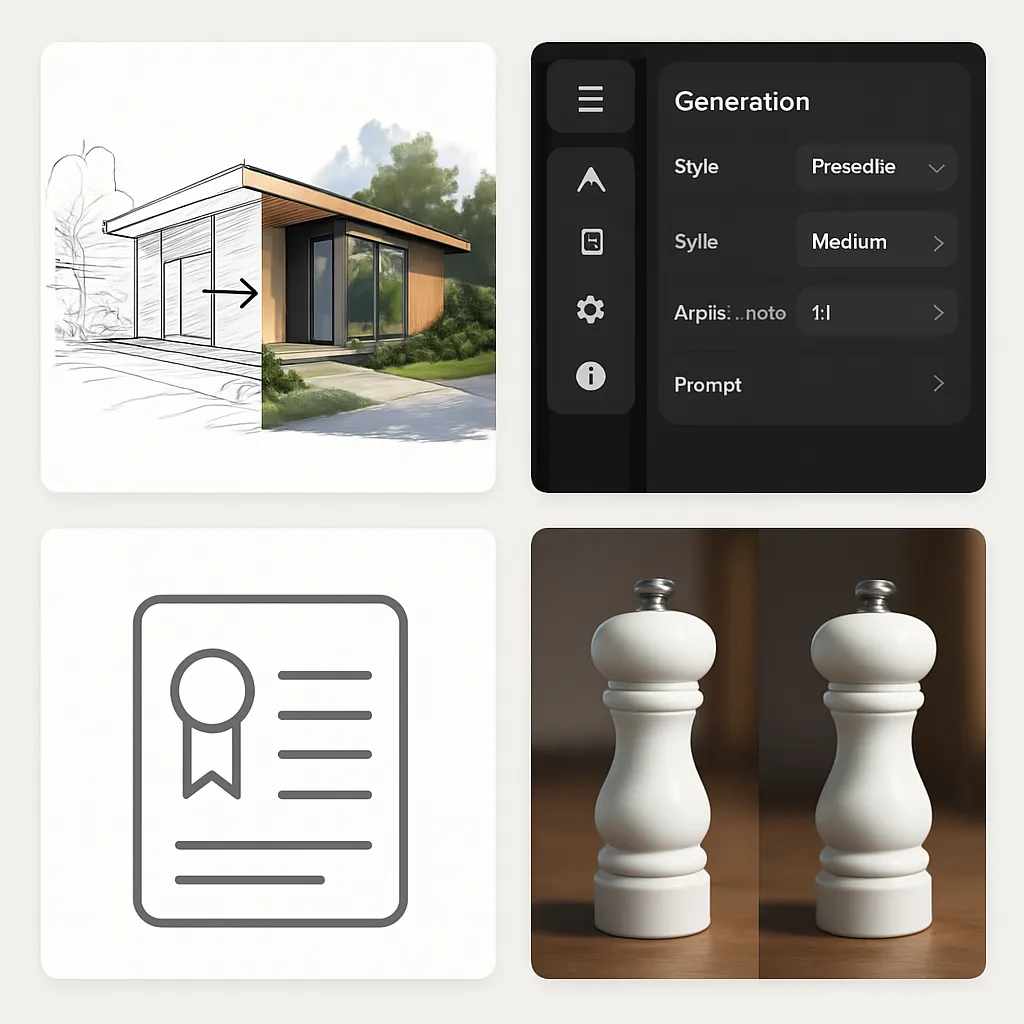
- Best sketch-to-render in class — spatial fidelity to original sketch input is genuinely impressive and differentiates the platform from all major competitors
- Intuitive UI — consistently praised by users; low learning curve for non-technical designers
- Commercial rights on all paid tiers — full image ownership, no watermark, clean licensing for client deliverables
- Consistency Rendering / custom model — cross-project visual consistency is a real workflow advantage for professional designers
- Active feature development — video generation expansion, style library growth; platform is not stagnant
- Functional free plan — legitimate evaluation tier with real sketch-to-render access before payment
- Better customer support than Midjourney — user reviews on G2 rate PromeAI's support more favorably than Midjourney's Discord-based model
Cons

- Escalating content censorship (2026) — moderation restrictions have expanded weekly, now blocking ceramic dolls, plastic soldiers, alcohol imagery, and anime-to-realism conversions. No clear policy published; users report surprises
- No refunds for blocked credit spend — if moderation removes your generated image, the credits are gone. On aggressive content filtering, this adds up financially
- Output quality degradation in 2026 — pixel errors, face artifacts, and duplicate limbs reported by multiple users on Trustpilot and AllAboutAI; appears to be a regression from 2024 output quality
- Limited fine-tuning control — difficult to refine small details within the platform; inconsistent results often require manual editing in external tools
- Pricing page blocked — official pricing page returned 403 errors during research; third-party data used. Verify current tiers before purchase
- No official 2026 feature roadmap — no public announcement of major planned features; development direction unclear
- Credit-based system risk — moderate-to-high volume users can exhaust credits unpredictably; no usage alerts found in documentation
Best PromeAI Alternatives
If PromeAI's censorship issues, quality concerns, or pricing structure don't fit your workflow, here are the most relevant alternatives:
Midjourney — Best for pure artistic quality text-to-image. No sketch input, no free plan, but the benchmark for visual quality and community. ~$10–$60/mo.
Leonardo AI — Good balance of free access, fine-tuning control, and commercial rights. Less specialized for sketch workflows but more flexible for general creative use. Free tier available, paid from ~$12/mo.
Canva AI — Best for non-designers who need AI-assisted visuals within a template-based workflow. Integrates AI tools into design templates rather than pure generation. Free and Pro tiers.
Adobe Firefly (via Adobe Creative Cloud) — Best for designers already in the Adobe ecosystem. Commercial-safe model trained on licensed content. Requires existing Creative Cloud subscription for full integration.
Stable Diffusion (self-hosted) — Best for users who need maximum control, no censorship, and are willing to manage local installation and model selection. No subscription cost but significant technical overhead.
For workflows specifically centered on architectural visualization, none of the alternatives currently match PromeAI's sketch fidelity at $9.90–$39/mo. The alternatives are most relevant when sketch input is secondary and you need broader general-purpose capability.
Frequently Asked Questions
Is PromeAI free to use?
Yes. PromeAI offers a free plan with limited credits and watermarked output. You can test sketch rendering, text-to-image generation, and other core tools before paying. The free plan is suitable for evaluation; it is not enough for a sustained professional workflow. Paid plans start at $9.90/month.
How much does PromeAI cost per month?
Confirmed tiers from third-party sources: Free ($0), Pro ($9.90/mo, 1,000 credits), Pro+ ($29.90/mo, 4,000 credits), Base ($39/mo, annual $294/yr). Enterprise pricing is custom. Annual billing saves roughly 30–40% vs. monthly. Note: the official pricing page was inaccessible during this review — verify current tiers at promeai.pro before purchasing.
Is PromeAI better than Midjourney?
For architectural and design sketch workflows: yes, clearly. PromeAI preserves your spatial design intent when rendering from sketches; Midjourney generates a new image from text and cannot faithfully follow a sketch input. For pure text-to-image artistic quality with no sketch input: Midjourney remains the benchmark. Different tools, different use cases.
Can I use PromeAI images commercially?
Yes — all paid tiers (Pro, Pro+, Base, Enterprise) include commercial use rights and full image ownership with no watermarks. The free plan restricts commercial use. Always verify your specific tier's license terms before using output in client-facing or revenue-generating contexts.
What is PromeAI used for?
PromeAI is primarily used for converting architectural sketches and CAD wireframes into photorealistic renders, generating AI images from text prompts, creating AI videos, replacing image backgrounds, and producing consistent visual outputs across design projects. Its target users are architects, interior designers, product designers, and game/animation designers.
Is PromeAI safe and legit?
PromeAI is a legitimate commercial platform with thousands of user reviews on G2, Trustpilot, and SaaSworthy. It is not a scam. The main verified concerns are its no-refund policy on blocked content and expanding content censorship restrictions in 2026 — both are real issues reported by multiple independent user sources, not unverified claims.
Does PromeAI offer a refund?
No refund policy has been documented for credits spent on generations that are subsequently blocked by content moderation. This is a significant user complaint in 2026 as censorship restrictions have expanded. Before purchasing, review PromeAI's current terms of service regarding credits and refunds — the policy was not clearly documented in publicly accessible sources during this review.
Can PromeAI generate from a sketch?
Yes — this is its core differentiator. Upload a hand-drawn sketch, CAD wireframe, or digital line drawing and PromeAI renders a photorealistic image that preserves your original spatial design and layout. You select rendering style, materials, and atmosphere from a style library. 1–3 credits consumed per render depending on resolution.
What are the best PromeAI alternatives?
For architectural render workflows: no direct alternative at the same price. For general AI image generation: Midjourney (best artistic quality), Leonardo AI (best fine-tuning control with free tier), Adobe Firefly (best for Adobe Creative Cloud users). For template-based non-designer use: Canva AI. For no-censorship control: Stable Diffusion self-hosted.
Does PromeAI offer an API?
Enterprise plans include API access, per available documentation. API access is not available on standard Pro or Pro+ tiers. Specific API documentation and rate limits were not accessible in current public sources — contact PromeAI directly for Enterprise API details.
Final Verdict & Who Should Buy
PromeAI in 2026 is a specialized tool with a genuinely strong core product surrounded by real operational concerns.
The sketch-to-render capability is legitimate and unique. If you are an architect, interior designer, or product designer who regularly converts hand-drawn or CAD sketches into client-presentable renders, PromeAI at $9.90–$39/mo delivers clear value that no mainstream competitor currently matches at this price point. The workflow speed — from rough sketch to photorealistic render in seconds — is a real productivity gain, and the spatial fidelity to your original design intent is what separates it from generic image generators.
The concerns are also real and should not be minimized. Content censorship has escalated in 2026, blocking categories that many designers legitimately need. The no-refund policy on blocked credits is a poor user experience. Quality regression reports — pixel errors, face artifacts, duplicate limbs — represent a measurable decline from the platform's prior standards. These are not minor issues; they reflect platform decisions that are eroding user trust among a previously loyal base.
Our recommendation by use case:
- Architects & interior designers producing client renders → Buy. PromeAI Pro or Pro+ is justified. No alternative matches it for this workflow at this price.
- Product designers visualizing concepts → Buy with caution. Strong for object and environment renders; test free tier first to validate output quality for your specific product category.
- General AI image users looking for a Midjourney alternative → Skip. Use Midjourney or Leonardo AI instead. PromeAI is not optimized for this use case.
- Content creators working with figures, characters, or edge-case imagery categories → Skip. Censorship risk is too high and no-refund policy makes experimentation expensive.
Score: 3.8 / 5 — Exceptional in its niche, penalized for quality regression and censorship policy in 2026.
Get PromeAI today — start on the free plan to validate sketch rendering before committing to a paid tier.
For a broader look at AI tools across every category, visit top10k.com to explore the full collection.
Ready to Try PromeAI?
Start with the free plan and experience the difference AI makes in your workflow.
Get Started Free →